

How to Run Salary Payments with Netcash (and Your Payroll Software)
February 27, 2026
South Africa’s Cashless Economy: Are We Finally Ready for 2026?
March 13, 2026Disclaimer:
This blog offers general guidance based on information available at the time of publication. For the most up-to-date details, please contact Netcash or other service providers directly.
Setting up a payment gateway is one of the most important steps when you launch your Shopify store. You want your customers to pay easily, get instant confirmation, and feel safe. You also want money to settle into your account quickly, without hindrances or confusing errors.
In South Africa, this can get a little tricky because Shopify Payments, the platform’s built-in payment gateway, is not available here. That means you must use a third-party payment gateway. And each one has its own costs, settings, settlement times, and technical steps.
This guide walks you through everything you need to know, from how payment gateways work to setting them up on Shopify, avoiding failures, and tracking your payments properly. It also covers a provider matrix, the fees associated with each one, and tips for each major gateway.
The most commonly used payment gateways in South Africa include Netcash, Payfast (PayGate), Peach Payments, Ozow, and Yoco. These gateways support Shopify stores by enabling secure card payments, Instant EFT, and local currency settlement.
Is Shopify Payments available in South Africa?
No, Shopify Payments is not available in South Africa. To accept payments, you must use a third-party payment gateway such as Netcash, Payfast, or Peach Payments.
Ready to accept payments with a South African payment gateway on Shopify?
Sign up for a Netcash account and take the first step to seamless transactions.
What is a payment gateway?
A payment gateway is the tool that allows your customers to pay you on Shopify. It works in the background to process card payments, bank transfers, QR code, and “pay later” payments.
When your customer enters their card number, the gateway checks if the details are correct. It then sends the request to the customer’s bank. If the bank approves the payment, the gateway confirms the order on Shopify. The money is then paid to you after a short settlement period.
A good payment gateway should give your customers a smooth checkout experience. It should be secure and protect you from fraud. Make sure it supports multiple payment methods, settles payments quickly, and is easy to set up, even if you do not have a strong technical background.
Types of payment gateways
When you set up payments on Shopify, you will come across three main types of payment gateways. Each one works slightly differently during checkout. Here are the types:
- Hosted gateways: A third-party hosted gateway that redirects your customer to an external, secure page to complete their payment. Once the payment is done, they return to your store to finish the checkout. This type is common in South Africa because it is secure, stable, and easy to set up. Many local gateways use this method.
- Self-hosted gateways: With a self-hosted gateway, the checkout flow remains in your Shopify store, but the actual processing of your customer’s payment details happens in the background. The third-party essentially handles the sensitive parts of the transaction, while to the customer, it appears as if they’ve never left the store.
- Non-hosted gateways: These gateways keep everything in your store. You collect and process the payment on your own server. This gives you full control, but it also comes with heavy technical work, regulatory and security responsibilities. Some international companies use this, but it is uncommon for small to medium-sized South African businesses.

Why businesses need a payment gateway for Shopify in South Africa
Because Shopify Payments is not available in South Africa, all merchants must use third-party payment gateways to accept online payments.
Without a payment gateway, you’d have to send your customers an invoice, wait for payment via bank transfer or cash, then ship the product or provide the service. It’s a tedious process. A gateway limits back-and-forth, making it a vital speed factor and security. That’s why it’s crucial to pick the right one. But in South Africa, the gateway you choose for Shopify matters even more.
Here’s why:
You need secure card payments: South Africans expect online payments to be safe. Payment gateways use something called “3D Secure” to verify the cardholder’s identity. This protects you against fraud and chargebacks. Shopify requires this security for all local gateways.
You want local currency settlement: Your money should settle in South African Rands (ZAR). Some global gateways use dollar settlement, and this can lead to losses because of currency conversion. A local payment gateway removes that risk.
Your customers need familiar payment methods: Many South Africans prefer instant bank transfers or card payments. Others want newer methods, such as Buy Now, Pay Later (BNPL), digital wallets, QR codes, and even vouchers. Local gateways offer a great mix of payment methods that match local behaviour.
You want fast settlement: A good payment gateway pays you quickly. Some settle within 1 to 2 business days. Others take longer. Fast settlement helps you with stock, salaries, supplier payments, and cash flow stability.
You want local support when something breaks: If something goes wrong, you want to speak to someone who understands the South African payments landscape and operates in your local timezone. Local gateways understand the banks, the rules, regulations, and the problems that happen at checkout.
Payment Gateways in South Africa (Overview)
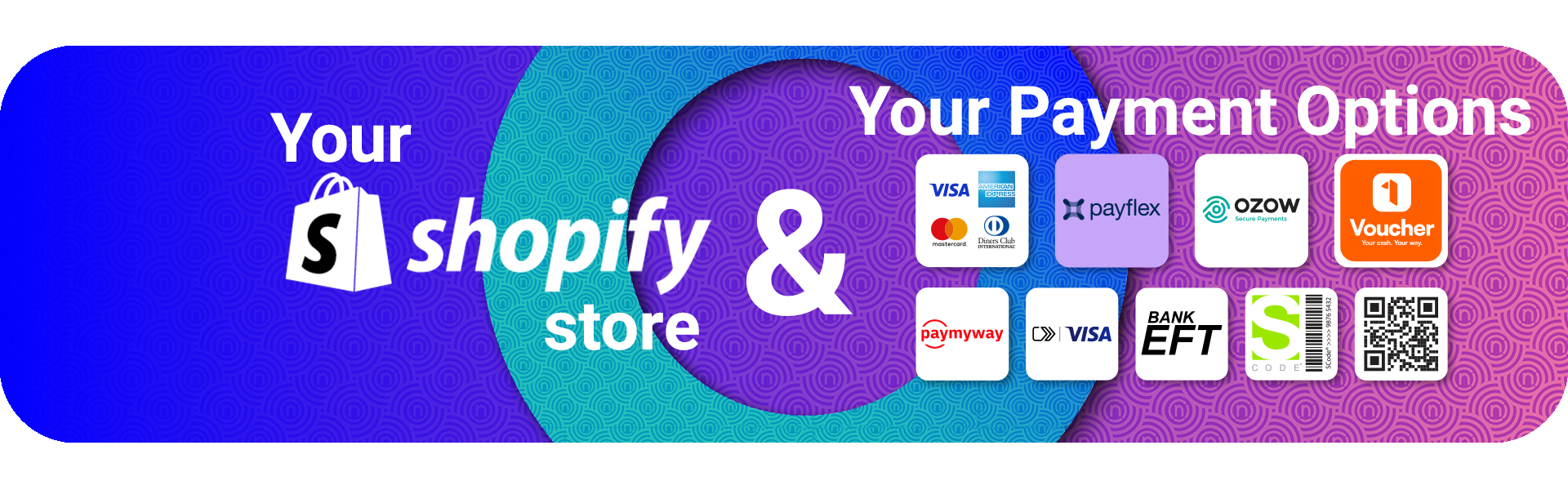
Payment gateways in South Africa allow businesses to accept online payments through cards, Instant EFT, QR codes, and alternative methods. Most Shopify stores rely on third-party providers because Shopify Payments is not supported locally.
Best payment gateway for Shopify (South Africa): Provider Matrix
Here’s a comparison of the most popular payment gateways in South Africa for Shopify, based on setup, fees, and performance. It helps you choose one based on ease of configuration, settlement, and overall experience.
|
Provider |
Payment methods |
3D Secure |
Settlement time |
Integration type |
Reconciliation tools |
Best for |
|
Netcash |
Cards, Instant EFT, QR code, BNPL, 1Voucher |
Yes |
1 business day |
API + plugin |
Strong reporting |
Reliable all-rounder |
|
Paystack |
Cards, Mobile money accounts, QR code |
Yes |
Typically, 2 business days |
API + plugin
|
Clear logs |
Cross-border transactions |
|
Payflex |
Pay-later instalments |
Yes |
Merchant paid upfront / max.1 business day |
App-based |
Basic |
Higher-value baskets, especially for retail |
|
PayGate |
Cards, Instant EFT, Mobile payments |
Yes |
2 business days |
API + plugin |
Good |
Corporate use |
|
PayJustNow |
Pay-later instalments |
Yes |
Merchant paid upfront |
App-based |
Basic |
Fashion and lifestyle |
|
Peach Payments |
Cards, Instant EFT, Digital wallets, BNPL |
Yes |
1–3 business days |
API + plugin |
Advanced |
Larger stores |
|
Ozow |
Instant bank transfer |
Yes |
1–2 business days |
Direct |
Good EFT reporting |
Customers who avoid cards |
|
Yoco |
Cards, Payment links, QR code |
Yes |
1–2 business days |
App-based
|
Basic |
Small businesses |
|
Flutterwave |
Cards, Mobile money, Bank transfers |
Yes |
1–5 business days |
API + plugin
|
Good |
Cross-border Africa trade |
Best Payment Gateway for Shopify in South Africa
The best payment gateway for Shopify in South Africa depends on your business model. For most businesses:
-
Netcash is ideal for all-in-one payments and fast settlement
-
Payfast is widely used and easy to set up
-
Peach Payments works well for larger stores
-
Ozow is best for Instant EFT transactions
Ready to accept your Shopify payments hassle-free?
Our secure, reliable payment gateway provides a seamless checkout experience.
Setup steps for Shopify payments in South Africa
Setting up online payments on Shopify is not a difficult process. Once you’ve chosen the payment gateway that best suits your business needs and customer preferences, all you need to do is follow a few basic steps, and you’re off to the races. No technical knowledge required.
These steps apply to most of the top third-party gateways in South Africa. And the best part is that you can follow the same steps even if you switch between providers in the future.
Step 1: Open your Shopify payments settings
This is where you activate your gateway.
- Log in to your Shopify dashboard.
- Go to “Settings”.
- Select “Payments”.
- Choose “Add payment method”.
Step 2: Select Shopify payment providers in South Africa
Shopify will show a list of supported gateways in South Africa, but some brands with new integrations (like Netcash) may not yet be listed - check their official websites for the link. Choose the one you want to use, and follow the steps to install the plugin on your store
Step 3: Add your gateway credentials
Your provider will usually give you all or a combination of these:
- A merchant number
- A public key
- A secret key
- A signature key (if needed)
Copy these into Shopify. Make sure you paste the correct key into the right field. If you copy the wrong key, your payments will fail, so be sure to double-check the details.
Step 4: Set up your security settings
You should:
- Require billing address
- Require postal code
- Enable card verification code (the three-digit code on the back of the card, or CVV) if not automatically required by the gateway.
These checks help reduce fraud without hurting your checkout conversion.
Step 5: Run a test payment
Always test before going live. Use a small amount, like R1. This helps you check payment flow, order confirmation, and payout accuracy.
Step 6: Turn on your notifications
You should set up:
- Payment success notifications
- Payment failure alerts
- Refund alerts
- Dispute alerts
You want to know immediately when transactions happen, or if something breaks. You can set up notifications through Shopify and through your payment gateway provider.
Step 7: Match payouts with orders
Once orders and payments start coming in, go to “Orders” in Shopify. Keep in mind that Shopify may deduct its fees upfront from the transaction value, while the payment provider shows the gross transaction value received for the order. Note that most third-party payment gateways will facilitate payouts from your merchant account with them, as this is also where your transaction fees are charged. Your store earnings will therefore be in this account, not Shopify.

Gateway-specific setup notes
Not all gateways are made equal, so it’s important to read the fine print. Each provider has its own pros and cons to take into consideration. These quick notes help you avoid problems.
Netcash
Netcash offers one of the simplest Shopify integrations in South Africa. You get reliable card transactions, instant bank transfers, QR code, BNPL payments, vouchers, quick settlement times, and a dedicated account manager.
Tips & Insights:
- Make sure your merchant account is fully verified before going live.
- Use the Netcash dashboard to check real-time transactions.
- Use Netcash’s reconciliation tools to match your Shopify orders easily, especially for businesses using accounting software like Sage, Xero, and others.
Paystack
Paystack is a popular Shopify payment gateway in South Africa, especially for businesses processing cross-border transactions in Africa. It allows payments via cards, EFT, SnapScan, and Masterpass. But merchants often complain about slow customer support.
Tips & Insights:
- Make sure you select “South Africa” when creating your account.
- Check currency settings so you do not accidentally settle in dollars.
- Review declined payments under “Event Logs”.
Payflex
Payflex is a BNPL solution that lets your customers pay over two to four interest-free instalments. It’s gaining popularity among shoppers, but for merchants, it has higher transaction fees than traditional payment gateways, making it a slightly more expensive option, particularly for SMEs.
Tips & Insights:
- Payflex can only be used for specific product categories, such as fashion, beauty, and electronics. Check their merchant agreement for specific restrictions.
- If your customer base is older in age, adoption may be low.
- Refunds work differently to a typical card payment, so make sure your staff understand the process.
Paygate
Paygate (now Payfast) is one of the most recognisable gateways in South Africa, offering a suite of payment methods, including cards and QR code payments. Merchants often complain about customer support, especially for complex issues, and dashboard updates are at times delayed.
Tips & Insights:
- Make sure your merchant account is fully verified to avoid lengthy payout delays.
- Some settings require manual activation through support.
- Make sure you use the correct service (PayGate Enterprise or PayGate PayWeb)for your business size.
PayJustNow
PayJustNow is another BNPL provider making gains in the payments space. It accepts card payments, which customers pay in three equal instalments on scheduled dates. However, like Payflex, transaction fees are higher, and Shopify integration requires moderate technical skills.
Tips & Insights:
- Best for lifestyle goods.
- Ensure you display instalment messaging on product pages.
- Payouts are processed by PayJustNow, not Shopify.
Peach Payments
It offers a broad range of methods, making it suitable for larger stores. It provides payment processing for cards, bank transfers, digital wallets, BNPL, and even vouchers. Pricing can be steep for low-volume merchants, and settlements can be delayed if there are fraud suspicions.
Tips & Insights:
- Keep an eye on 3D Secure versioning settings.
- Use their fraud module for high-risk products.
- Some checkout errors may require checking the API logs.
Ozow
Ozow is an Instant EFT processor loved by many who don’t want to pay with their debit or credit card. It offers payments via e-Billing, SMS link, and QR code. Ozow’s lack of support for recurring subscriptions and limitation of payment methods may negatively impact merchants.
Tips & Insights:
- Works only with bank payments.
- Make sure your refund process is straightforward for your team.
- Display “Instant EFT” early in the checkout.
Yoco
Yoco gained popularity by offering card machines as POS for small businesses across the country. Online, it provides payments via cards, mobile wallets, and QR codes. There has been criticism of slow customer service and fees that may be high for large-volume businesses.
Tips & Insights:
- Use the Yoco plugin for Shopify.
- Check your account details before activating live mode.
- Yoco is simple but may not support advanced settings.
Flutterwave - Africa Payments
Flutterwave supports various methods in South Africa, including cards, bank transfers, digital wallets, and even vouchers. It’s a future-focused gateway for African trade; however, concerns have risen regarding a higher rate of failed transactions and a not-so-friendly user interface.
Tips & Insights:
- Good if you sell to countries beyond South Africa.
- Mobile money is popular in East and West Africa.
- Settlement times vary, so plan cash flow carefully.
Looking for a reliable payment gateway in South Africa for your Shopify store??
Reach out to Netcash and find out how your sales can skyrocket with simple integration.
Shopify South Africa pricing: Payment gateway fee math
Shopify charges monthly fees in dollars. You then pay transaction fees to your payment gateway. The platform also charges an extra “third-party provider fee” because Shopify Payments is not available in South Africa. This means Shopify pricing can be a bit tricky.
Here is a simple breakdown of the plans and pricing structure:
|
Shopify plan |
Monthly cost (approx) |
Third-party fee |
Gateway fee* |
|
Basic |
R432 / ($25) |
2% |
2.9% to 3.2% plus R1.50 to R2.00 |
|
Grow |
R1,123 / ($65) |
3% |
2.9% to 3.2% plus R1.50 to R2.00 |
|
Advanced |
R6,893 / ($399) |
0.6% |
2.9% to 3.2% plus R1.50 to R2.00 |
|
Plus (available on a 1- or 3-year term) |
R39,702 / ($2,300) |
Competitive rates for high-volume merchants |
2.9% to 3.2% plus R1.50 to R2.00 |
* Average gateway fee in South Africa = 2.9% to 3.2% plus R1.50 to R2.00 per transaction, as at time of publication. Contact your preferred provider for the best rates for your business.
Here’s an example of a sale of R1,000 using the Netcash Payment Gateway:
- Shopify Basic Plan Third-party Fee: 2% x R1,000 = R20
- Netcash Gateway Fee (example): 2.95% x R1,000 = R29.50 + R1.50 = R31
- Total Fees per R1,000 sale = R51
- Your Revenue: R1,000 - R51 = R949
Some providers offer low-cost or entry-level options, but there is no completely free payment gateway in South Africa, as transaction fees always apply.
Shopify payment gateway issues to avoid in South Africa
Use these points to avoid failed payments and unhappy customers.
- Incorrect security settings: If you do not enable address checks and card code checks, you may get higher fraud and chargebacks.
- Wrong API keys: Copying the wrong key into Shopify is a very common mistake. Always double-check.
- Declines due to high-risk cards: Some international cards will be blocked. This happens more in South Africa because of the security rules around 3D Secure.
- Checkout abandonment due to slow loading: If your payment gateway takes too long to load, your customer may abandon checkout. Choose a gateway known for reliable speed.
- Reconciliation issues: If you do not turn on webhooks or notifications, your orders and payouts may not match.
- Bank outages: Instant bank transfer sometimes fails when banks go offline. Display a card payment fallback.
- Mismatched currency settings: Always settle in rands to avoid hidden costs, and ensure your prices include South African VAT in your store.
- Refund delays: Some gateways handle refunds manually. Make sure your team knows how each provider and payment option works.
How to track Shopify payment conversions (GA4 and server-side events)
Tracking payments properly helps you understand your sales performance. It also lets you see where failures occur. A good payment gateway also passes the correct data back to Shopify.
Why tracking matters
- You see which products convert best.
- You know where your customers drop off.
- You can fix issues faster.
- You get accurate ad sales data.
How to set up tracking
- Use Shopify’s built-in server-side tracking.
- Link your Google Analytics 4 account.
- Turn on checkout and purchase events.
- Test a payment and check the results.
FAQs about fundraising for NPOs in South Africa
Best payment gateway for Shopify South Africa with Netcash
Setting up payments in South Africa does not need to be complicated. With a good gateway, you get a smooth integration, card processing, instant bank transfer, and fast settlement.
When working with Netcash, you also get strong support and transparent reporting to help you manage your cash flow and match payouts to your Shopify orders. Whether you are starting or scaling your store, we help you accept payments and keep your checkout running smoothly.
Need a reliable, secure payment gateway for your business?

Author:
Candice Sergeant
Product Manager
Stay in Touch


Candice Sergeant is a digital dynamo at Netcash, where she’s on a mission to help South African businesses level up their online game. As an eCommerce Product Owner, she’s got her finger on the pulse of the latest trends and technologies, constantly seeking out ways to boost sales and streamline operations. With a knack for spotting opportunities and a passion for innovation, Candice is your go-to guide for taking your e-commerce business to the next level.